

 Download(590.04KB)
 1.0
1.0
 283.66KB
 Version
1.1
Version
1.1
 Updated on
January 17, 2026
Updated on
January 17, 2026
 Category
Practical Tools
Category
Practical Tools
 Size
590.04KB
Size
590.04KB
9.1
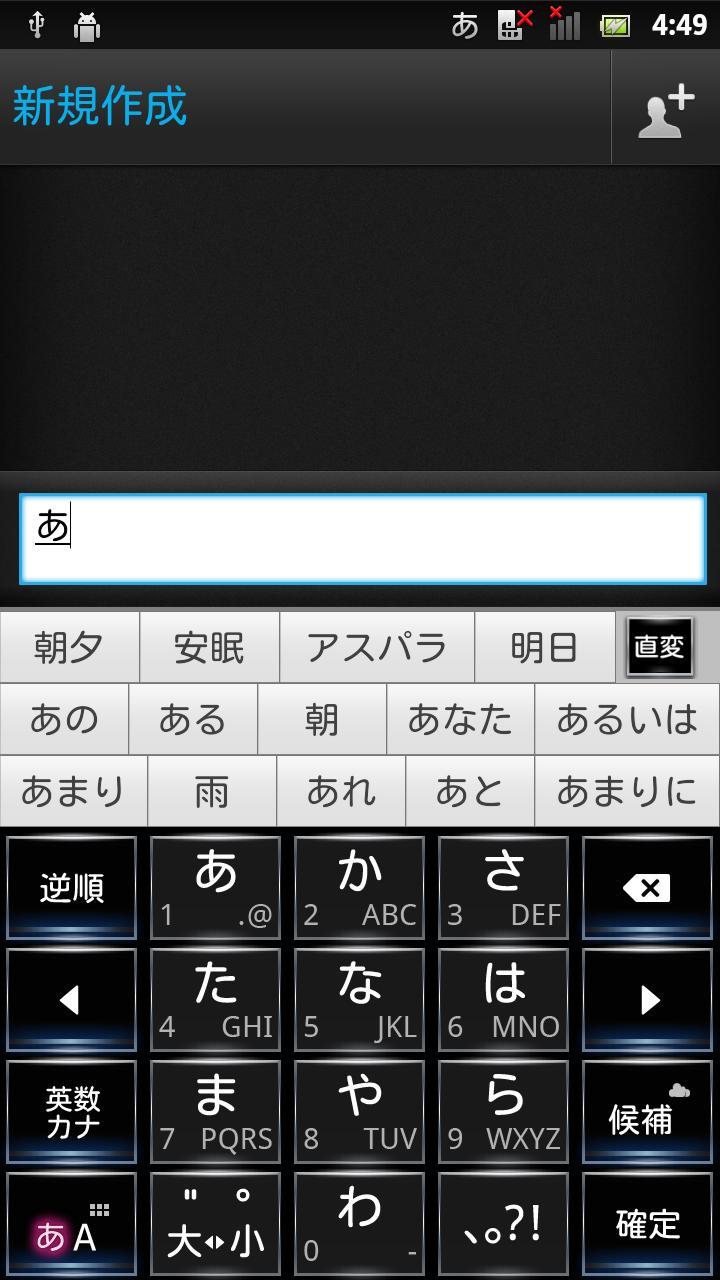
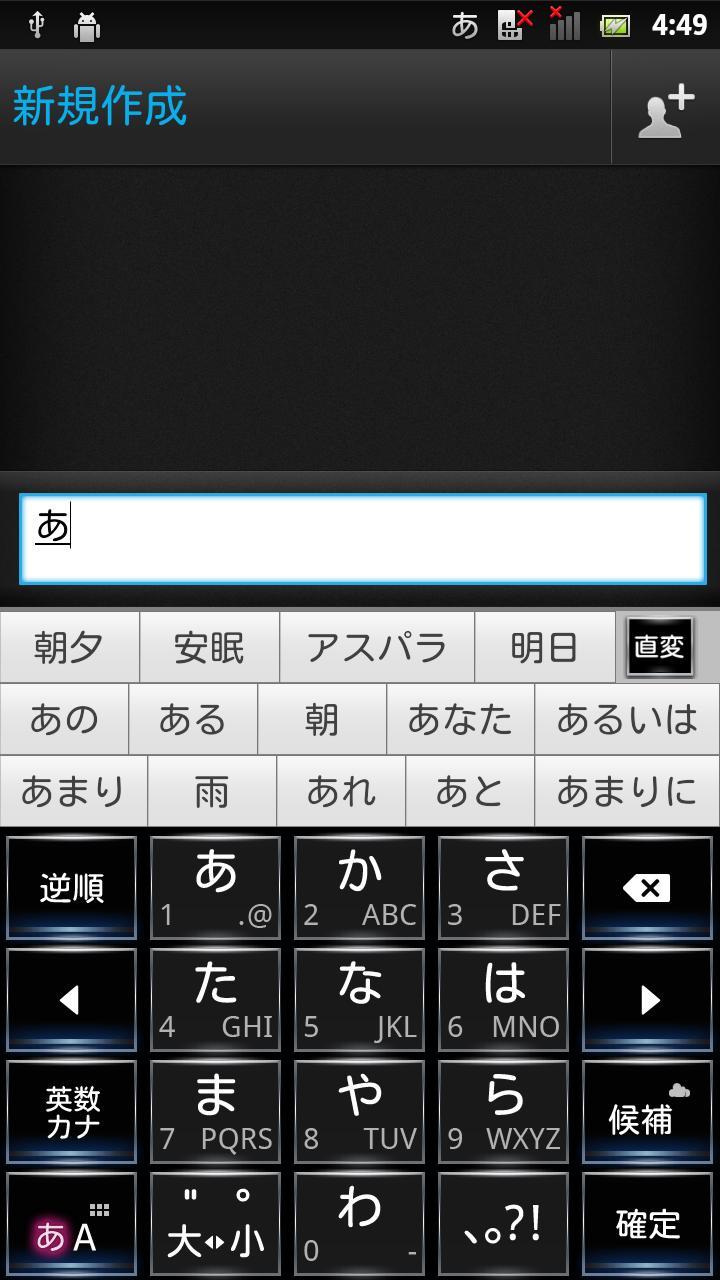
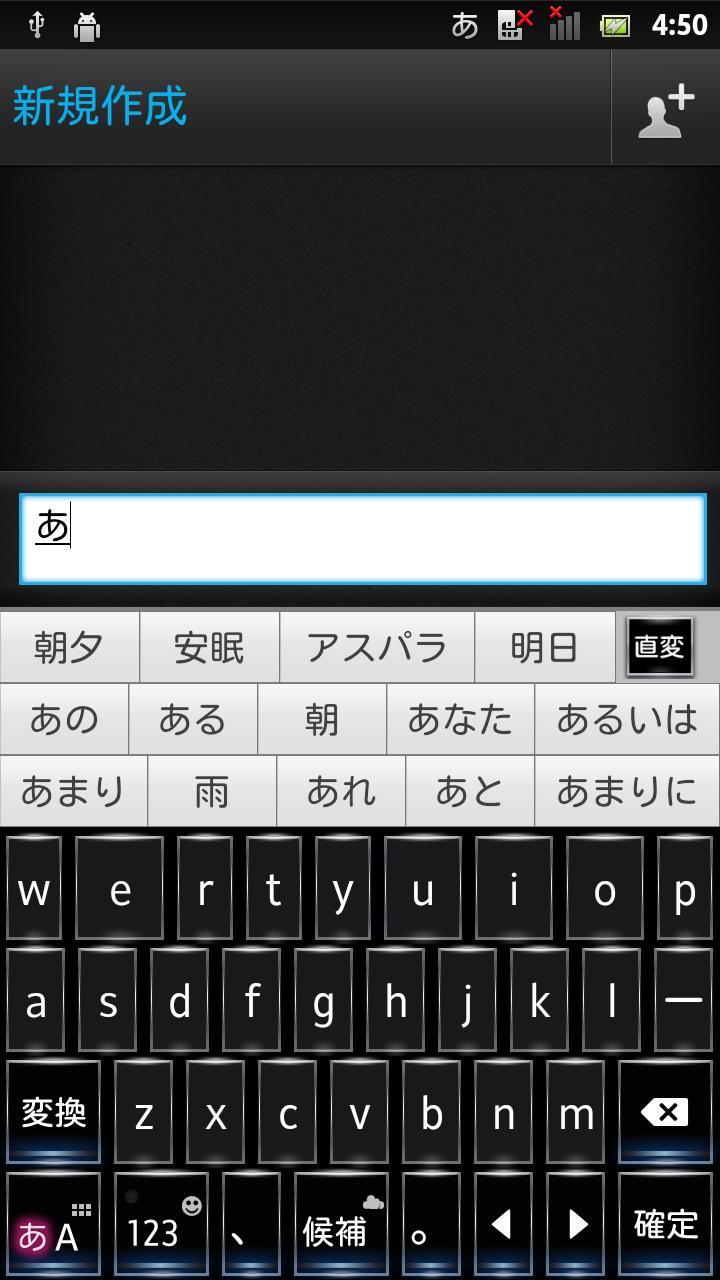
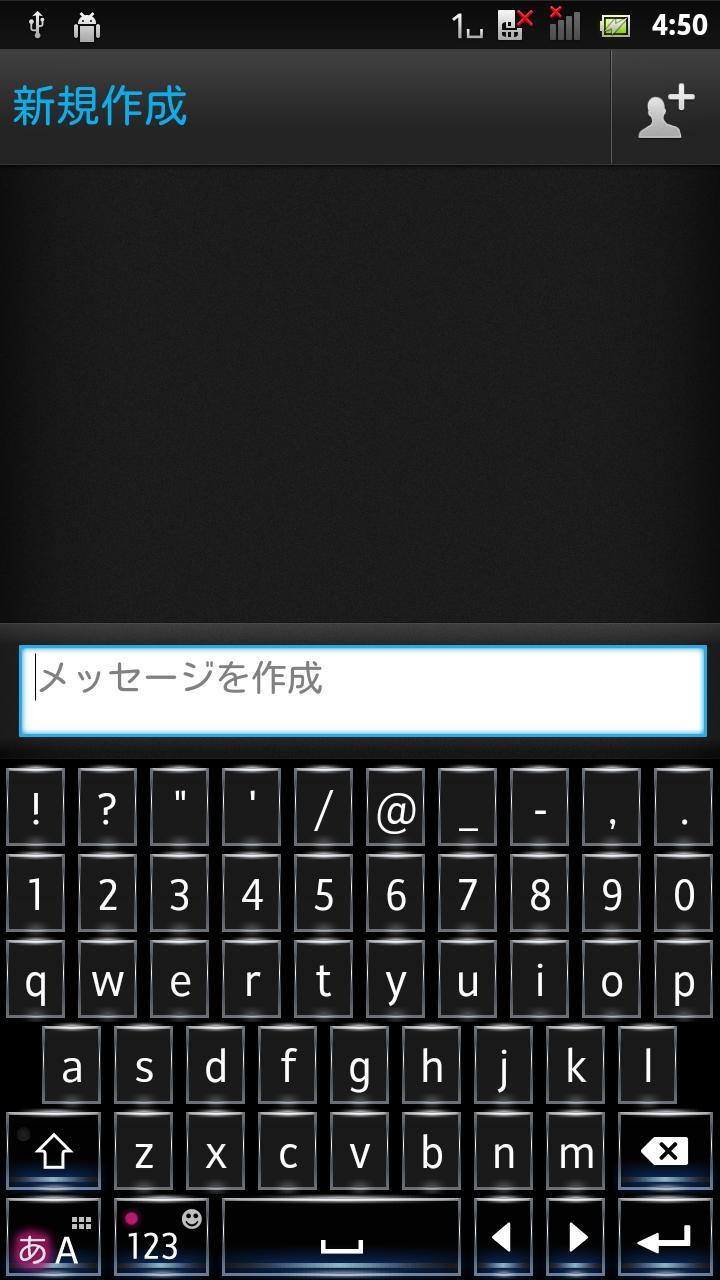
A keyboard skin for POBox Touch 5
FloatingPrismBlack is a keyboard skin for POBox Touch 5 on Xperia™ phones.
Once downloaded, this skin is automatically added to your skin collection. To apply it, go to Settings > Language & keyboard > Xperia™ Japanese keyboard > Select keyboard skin.
You can also jump to Xperia™ Japanese keyboard settings by longpressing the mode key(note1) to display the pop-up window and tapping the settings icon(note 2).
(note1)
Bottom left key for switching between Kana mode and Alphabet mode
(note2)
Spanner icon
 Similarity
May 3, 2026
May 3, 2026
May 3, 2026

May 3, 2026

May 3, 2026
May 3, 2026
May 3, 2026

May 3, 2026

May 3, 2026
May 3, 2026
May 3, 2026

May 3, 2026