

 下载(790.82KB)
 1.10
1.10
 8.07MB
 版本
1.4
版本
1.4
 更新日期
November 24, 2025
更新日期
November 24, 2025
 类别
实用工具
类别
实用工具
 大小
790.82KB
大小
790.82KB
8.7
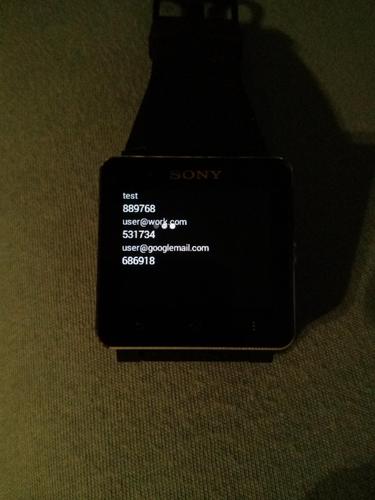
原始Google Authenticator的智能手表2(Sony)兼容叉。
https://github.com/the1dandonlydave/open-authenticator
原始Google Authenticator的智能手表2(Sony)兼容叉。
如果您想要一个受信任的开源身份验证器,也可以在没有智能手表的情况下使用它。以前称为smartwatch2验证者免费。
将其用于Google.com和github.com之类的网站,以启用2条认证,以使登录更加安全。
只需在您的帐户上启用它并将其添加到此应用程序中,因此您可以随时在智能手表上查看它,而无需将手机从口袋中拉出,解锁,启动AuthenTicatorApp,查看代码并将其放回原处。
此外,此版本没有互联网对所有偏执狂的人的收费:)因此,无法将您的设备从您的设备发送到第三方。
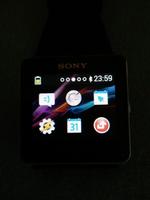
它经过测试并完全在智能手表2上工作,还应在Liveview上工作。
有任何安全问题吗?只需查看GitHub上的所有源代码(请参阅底部的WebsItelink)
如果您想为咖啡捐赠一些钱(我不喜欢啤酒:D)
购买捐赠版本(https://play.google.com/store/apps/details?id=com.dlka.android.apps.authenticator2donate)或在PayPal捐赠https://www.paypal.com/cgi-bin/webscr?cmd=_s-xclick&hosted_button_id = qmxtd89bwm3dn
我愿意功能请求和错误报告。将电子邮件发送到[email protected],以获取更多信息。谢谢!
这不是Google发布的官方Google Authenticator,可以在https://play.google.com/store/store/apps/details?id=com.google.android.apps.authenticator2中找到,但没有smartwatch功能。
任何功能建议,请给我发送电子邮件或叉,并自己动手:)
已知问题:
基于计数器的帐户不起作用,但这不应影响大多数用户
下面的原始描述...
启用2步验证以保护您的帐户免受劫持。
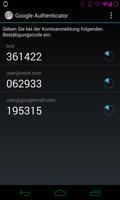
Google Authenticator在手机上生成2步验证代码。
通过两步验证,您可以选择通过与密码生成的代码签名,以选择为Google帐户添加额外的安全层。
特征:
*通过QR代码自动设置
*支持多个帐户
*支持多种语言
要使用此应用程序,您需要首先通过访问您的帐户设置页面在Google帐户上启用2步验证。
https://support.google.com/accounts/bin/answer.py?hl = en&answer=1066447有关如何设置两个因素auth的说明
智能手表2的Smart Connect™扩展2
Liveware™智能手表扩展
源代码可用:http://code.google.com/r/vinblau-google-auth-auth-smart-watch/
从dgauthenticator分叉w/smartwatch添加智能手表2支持(https://code.google.com/r/vinblau-google-google-auth-auth-smart-smart-watch/source/source/browse)
还包括版本1.3 Pro Update的更改
更改动画位置
修复了设置上的FC
在智能手表实用程序中更改了名称和图标
 类似推荐
类似推荐
May 7, 2026
May 7, 2026
May 7, 2026
May 7, 2026

May 7, 2026
May 7, 2026
May 7, 2026
May 7, 2026
May 7, 2026
May 7, 2026
May 7, 2026
May 7, 2026