

 下載(790.82KB)
 1.10
1.10
 8.07MB
 版本
1.4
版本
1.4
 更新日期
November 24, 2025
更新日期
November 24, 2025
 類別
實用工具
類別
實用工具
 大小
790.82KB
大小
790.82KB
8.7
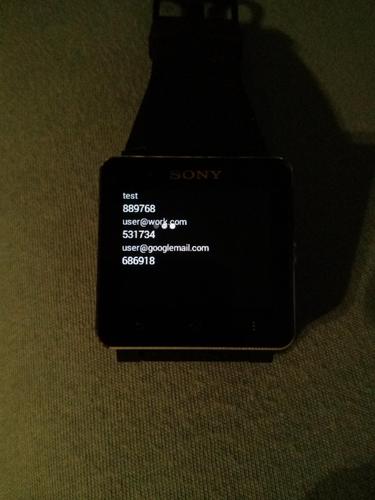
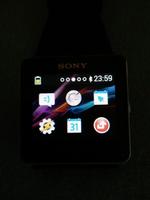
原始Google Authenticator的智能手錶2(Sony)兼容叉。
https://github.com/the1dandonlydave/open-authenticator
原始Google Authenticator的智能手錶2(Sony)兼容叉。
如果您想要一個受信任的開源身份驗證器,也可以在沒有智能手錶的情況下使用它。以前稱為smartwatch2驗證者免費。
將其用於Google.com和github.com之類的網站,以啟用2條認證,以使登錄更加安全。
只需在您的帳戶上啟用它並將其添加到此應用程序中,因此您可以隨時在智能手錶上查看它,而無需將手機從口袋中拉出,解鎖,啟動AuthenTicatorApp,查看代碼並將其放回原處。
此外,此版本沒有互聯網對所有偏執狂的人的收費:)因此,無法將您的設備從您的設備發送到第三方。
它經過測試並完全在智能手錶2上工作,還應在Liveview上工作。
有任何安全問題嗎?只需查看GitHub上的所有源代碼(請參閱底部的WebsItelink)
如果您想為咖啡捐贈一些錢(我不喜歡啤酒:D)
buy the donate version (https://play.google.com/store/apps/details?id=com.dlka.android.apps.authenticator2donate) or donate at PayPal https://www.paypal.com/cgi-bin/webscr?cmd=_s-xclick&hosted_button_id=QMXTD89BWM3DN
我願意功能請求和錯誤報告。將電子郵件發送到[email protected],以獲取更多信息。謝謝!
這不是Google發布的官方Google Authenticator,可以在https://play.google.com/store/store/apps/details?id=com.google.android.apps.authenticator2中找到,但沒有smartwatch功能。
任何功能建議,請給我發送電子郵件或叉,並自己動手:)
已知問題:
基於計數器的帳戶不起作用,但這不應影響大多數用戶
下面的原始描述...
啟用2步驗證以保護您的帳戶免受劫持。
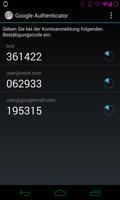
Google Authenticator在手機上生成2步驗證代碼。
通過兩步驗證,您可以選擇通過與密碼生成的代碼簽名,以選擇為Google帳戶添加額外的安全層。
特徵:
*通過QR代碼自動設置
*支持多個帳戶
*支持多種語言
要使用此應用程序,您需要首先通過訪問您的帳戶設置頁面在Google帳戶上啟用2步驗證。
https://support.google.com/accounts/bin/answer.py?hl = en&answer=1066447有關如何設置兩個因素auth的說明
智能手錶2的Smart Connect™擴展2
Liveware™智能手錶擴展
源代碼可用:http://code.google.com/r/vinblau-google-auth-auth-smart-watch/
從dgauthenticator分叉w/smartwatch添加智能手錶2支持(https://code.google.com/r/vinblau-google-google-auth-auth-smart-smart-watch/source/source/browse)
還包括版本1.3 Pro Update的更改
更改動畫位置
修復了設置上的FC
在智能手錶實用程序中更改了名稱和圖標
 類似推薦
類似推薦
May 7, 2026
May 7, 2026
May 7, 2026
May 7, 2026

May 7, 2026
May 7, 2026
May 7, 2026
May 7, 2026
May 7, 2026
May 7, 2026
May 7, 2026
May 7, 2026